iPhone Is On but the Screen Is Black: Display, Backlight, or Logic Board?
If your iPhone vibrates and rings but the screen stays dark, there are three suspects: the display, the backlight line, the image line. From the flashlight test to board-level measurement.
By İlham Hüseynov · Device repair since 2005 · Apple board-level specialist
Content updated:
The device is actually on: it vibrates when touched, it rings when called — but the screen is pitch black. This picture gets confused with "phone won't turn on"; yet it's a completely different fault, with a different diagnosis.
There are three suspects: the display panel, the backlight line, and the image data line. This guide walks through the systematic way of telling them apart.
1. First verify: is the device really on?
"No image" and "won't boot" are different faults; the first job is telling them apart:
- Toggle the mute switch — do you feel a vibration?
- Call the phone — does it ring?
- Plug it into a computer — is the device recognized?
Any one of these signs means the device is on and the fault is in the image chain. If none are present, the real topic is a boot/power fault (we have a separate guide for boot-loop / won't-turn-on diagnosis).
2. The flashlight test: backlight or image?
The most classic and most valuable first test: in a dark room, hold a strong flashlight against the screen and look closely.
- A faint image is visible under the light → the image exists but there's no illumination: suspicion falls on the backlight line.
- Nothing is visible even with the flashlight → the image itself is missing: suspicion falls on the panel or the image data line.
This 10-second test splits the diagnosis into two separate paths and prevents losing hours in the wrong direction.
3. Cross-test with a known-good display
The second screening uses the same logic as camera faults: fit a known-good (test) display.
- The test display works → the original panel is faulty; replacement fixes it.
- The same picture persists on the test display → the fault is on the board; a display swap is not the fix.
After drops, the panel genuinely is the frequent culprit — but on devices with liquid history, the odds shift noticeably toward the board. Selling a display without a cross-test pushes the "replaced but not fixed" risk onto the customer.
4. Board side: measure the backlight and image chains
If the cross-test points at the board, measurement begins; the two chains are handled separately:
- Backlight chain: the boosted supply line that drives the display LEDs. Diode mode checks for shorts/breaks; this line is one of the links that breaks most often in liquid and impact damage.
- Image data chain: the data lines running from board to display connector, plus the supply voltages the display needs. Connector pins are inspected under the microscope (a crushed/oxidized pin is a classic), supplies are measured.
In both chains the fault usually turns up in small parts around the connector or in the line itself — with correct diagnosis, the intervention is pinpoint.
Why does the order matter?
In image faults, the most expensive mistake is replacing the display without diagnosis: the panel cost is wasted, the fault remains, trust is damaged. The second most expensive mistake is stamping a backlight fault as "needs a new board" — when most cases are a single-line repair.
The systematic order (is-it-on check → flashlight test → cross-test → line measurement) leads to the right part at the right price.
How this fault looked on the bench
Real repairs from İlham's bench, published on Facebook 2021–2025. The text is the original post, unedited.
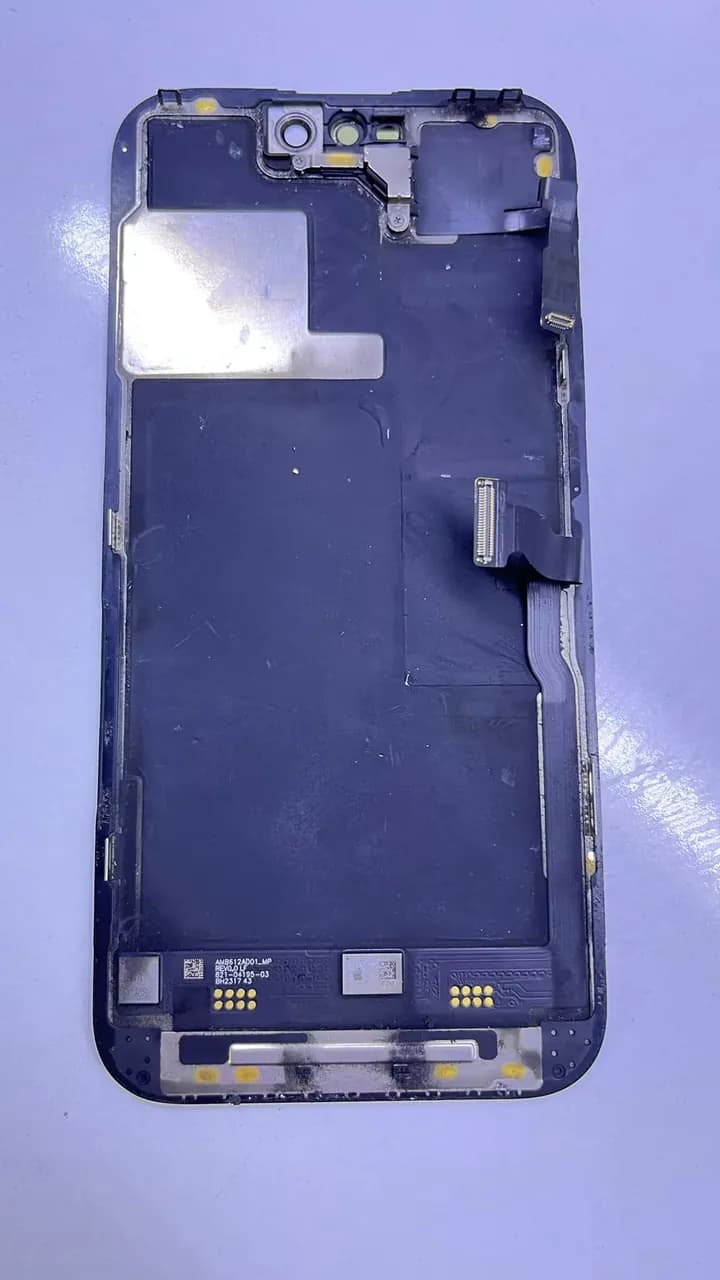
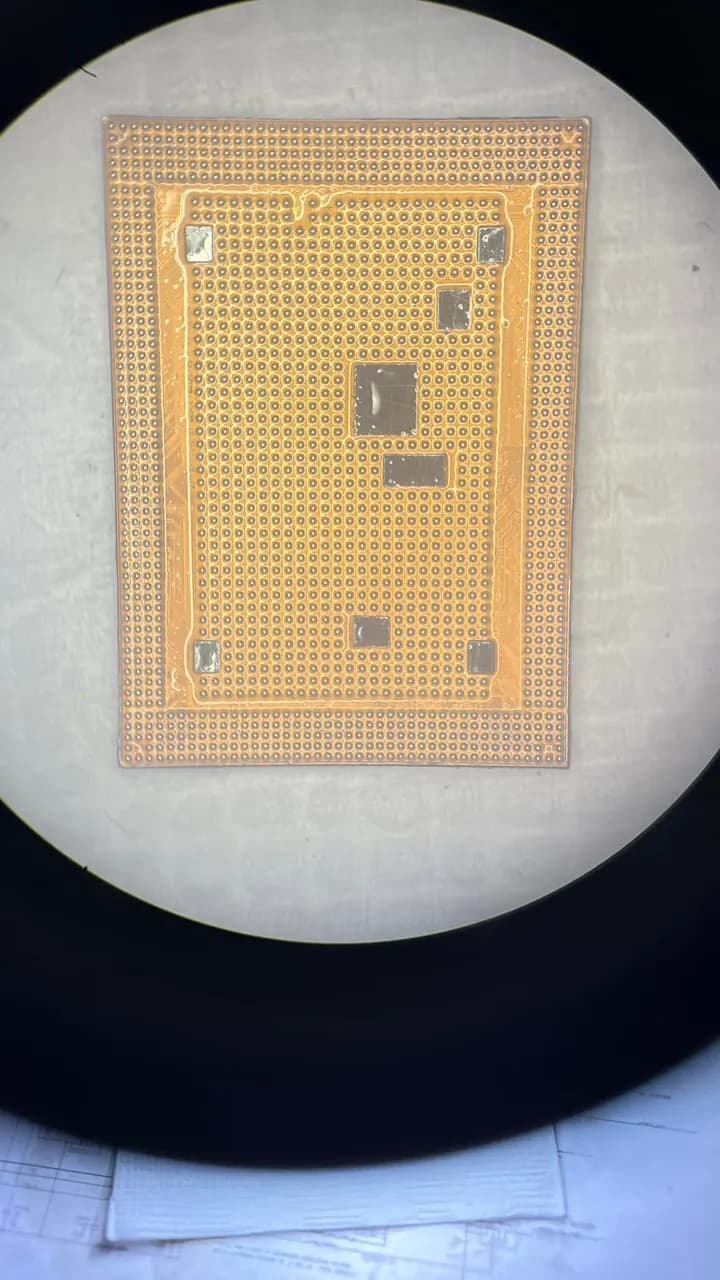
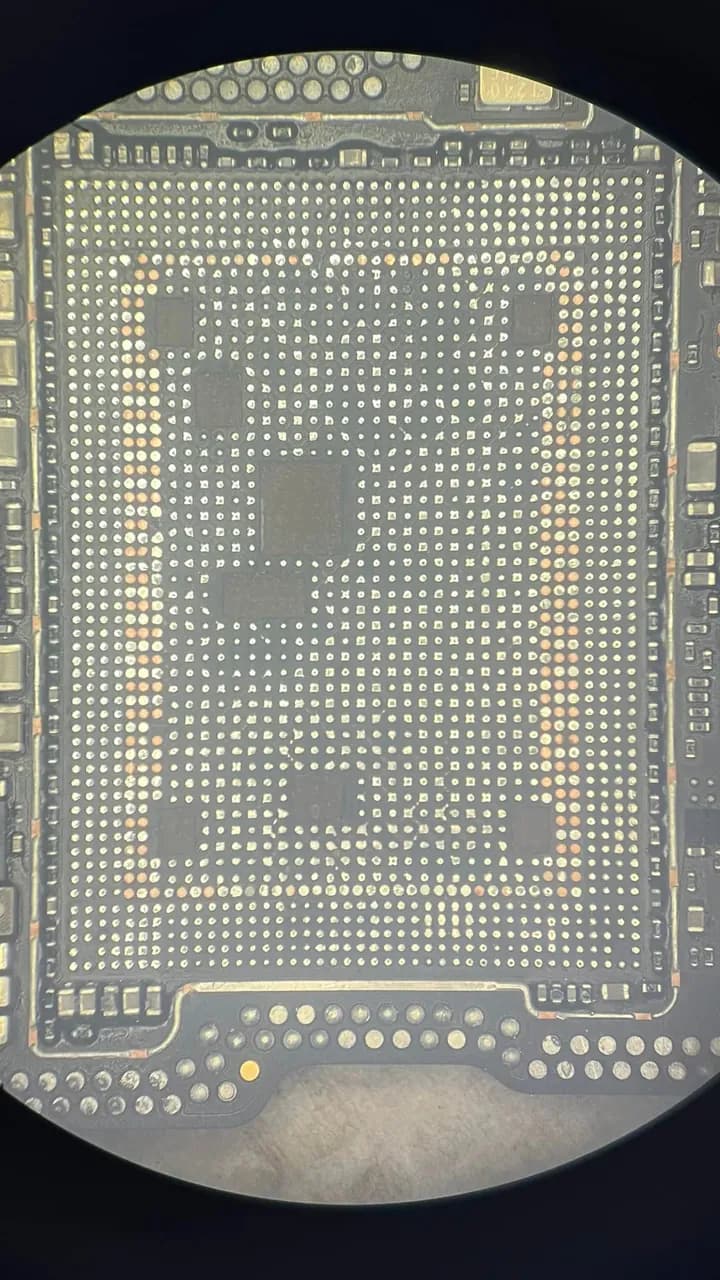
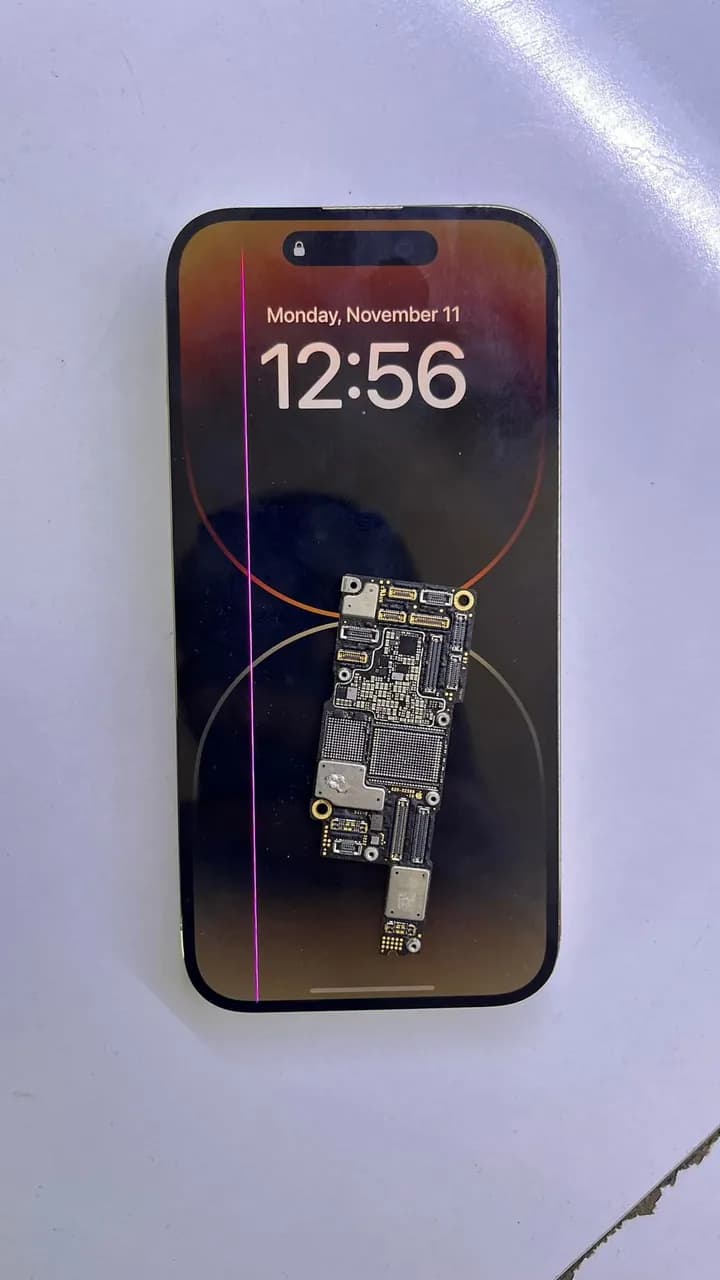
iPhone 14 Pro arka kapak değişimi için lazer makinayla cam değişmişler ondan sonra reset ses gibi bir çok sorun oluşmuş en çok merak ettiğin bu hangi makina nasıl yaptılar da Anakart ayrılmış ekrana kadar da yanık izleri var. Sonuç olarak üst katman aktarım yapılarak çözülmüştür
Frequently asked questions
The phone vibrates but the screen is pitch black — will a new display fix it?
Maybe — but run the flashlight test and a known-good cross-test first. If a faint image shows under the flashlight, the fault is in the backlight line and a display swap won't fix it; board-level repair is needed.
The image died after a drop — board or display?
In impact cases the panel is more often the culprit, and the cross-test settles it quickly. But an impact can also damage the display connector or board-side lines — if the test display doesn't work either, look at the board.
Part of the screen works, there are lines/spots — is that the board too?
Partial image, lines and spots overwhelmingly come from the panel itself. Board suspicion grows mainly in the fully-black-screen-but-device-on picture. Either way, the definitive call comes from the cross-test.
- · Image/backlight isolation methodology — flashlight test and cross-test
- · USTA Academy — backlight chain and connector inspection modules
Technical reference documents
These manufacturer and project documents explain the measurement methods or support procedures discussed here. Board-specific values still require the correct model schematic and measurement conditions.
Related guides
Want to learn this systematically?
AkademiUsta · Apple Board-Level Repair — 6 Modules · 80 Days. Module 1 (8 days) is completely free — no time limit, no credit card.
This topic in the program · Module 1 · Day 1Map out the repair workflow and the tool landscapeStart FreeOr write to İlham on WhatsAppSource: USTA Academy methodology — image/backlight isolation (teaser)