Map out the repair workflow and the tool landscape
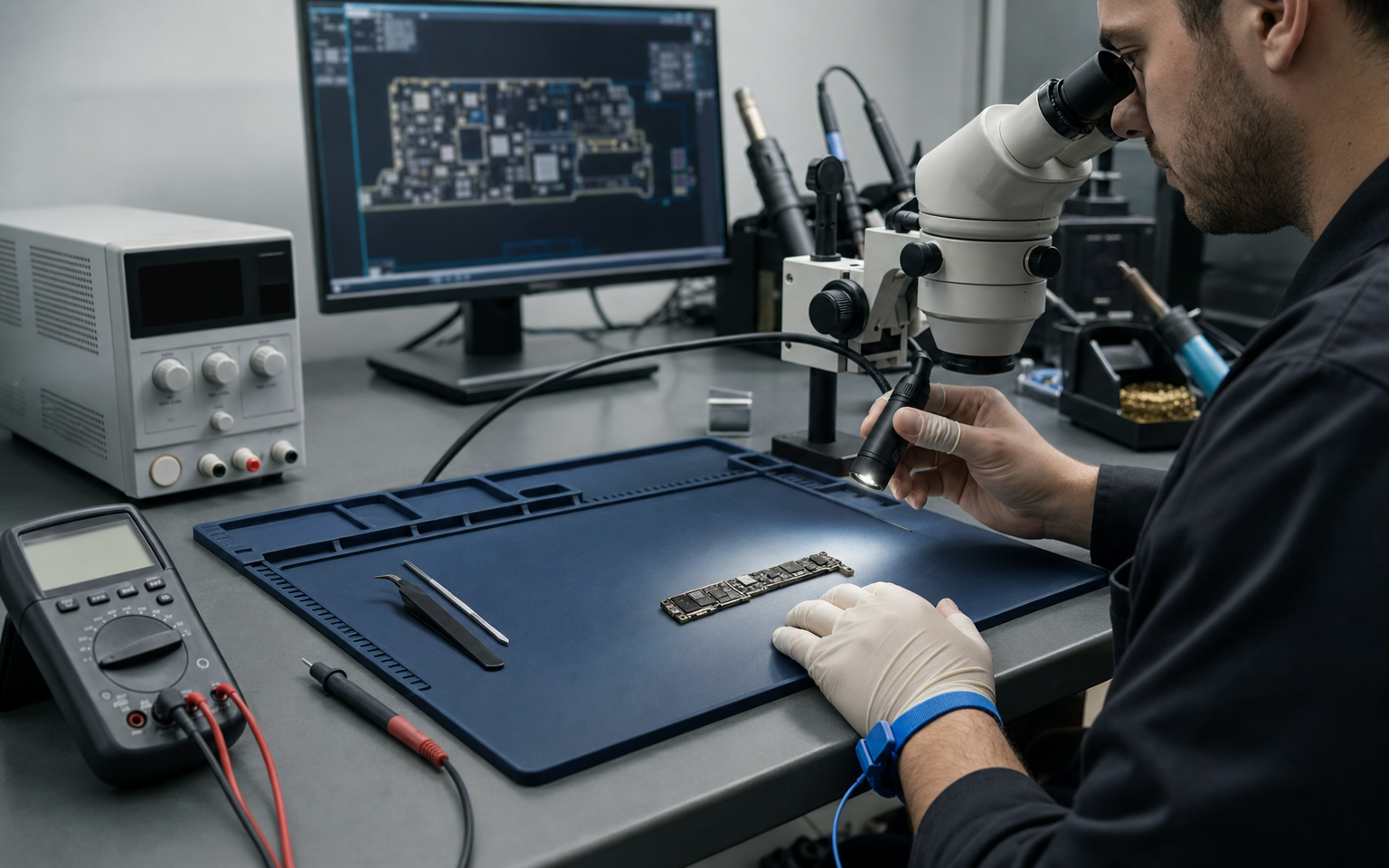
A disassembled logic board lands on the workbench: 'won't power on.' A beginner reflexively reaches for the soldering iron or hot air — 'let me re-solder something.' The master touches no intervention tool. First, they intake the board and check for signs of energy and physical hazards; then, based on the available evidence, they read the schematic, inspect the board, and measure. Board-level repair is not about using tools; it is about thinking safely and from evidence. Over the rest of this training, we will examine an iPhone X logic board through its schematic — but before that journey, today we are building the craft's mental map: which gates a board passes through and where each tool enters the flow. This is not a 'tool course.' We will not teach the multimeter or microscope from scratch; we assume you can already use them. What you will learn is more valuable: which tool to reach for in which situation, why, and when. The costliest mistake in repair is not a wrong measurement; it is skipping safety and evidence gathering and moving straight to intervention.
Which gates does board-level repair pass through — and why does safety come first?
Before we begin — who is this training for? (prerequisite self-check) This is not an electronics course from scratch; it turns someone who already knows electronics into a board diagnostician. Before continuing, you should be able to say 'yes' to these five:
- I know what voltage, current, resistance, and Ohm's law are.
- I understand series/parallel, short circuit, and open circuit.
- I can identify what resistors/capacitors/diodes/transistors/regulators do.
- I can physically use a multimeter (voltage/resistance/diode mode) and soldering iron.
- Basic digital ideas (logic level, clock, data line) are familiar to me.
If you say 'no' to several, complete the electronics fundamentals first; this package assumes that knowledge and does not repeat it. If you can say 'yes,' you are in the right place — what you will learn here is not a tool, but safe, evidence-based thinking.
Board-level repair is not random trial and error. The flow has two fixed gates: start with safety and leave intervention until last. Between them, diagnostic steps inform one another according to the available evidence:
- INTAKE + SAFETY — Record the device history and symptom. Check for battery damage, liquid, burns, unusual heat/odor, or loose metal that could make energizing unsafe. If risk is present, do not apply power; move to the safe-isolation procedure.
- READ — Map the model and symptom on the schematic/boardview: where does each rail originate, and which blocks does the symptom make candidates?
- INSPECT — Perform the first visual scan without power; look for liquid, corrosion, cracks, burns, and missing or shifted parts.
- MEASURE — If the safety gate is clear, test the hypothesis with an appropriate unpowered or controlled powered measurement. Return to the schematic or microscope as new evidence appears.
- DECIDE — Synthesize the reading, visual evidence, and measurements: is the fault on the logic board, is intervention justified, and is there a technical or ethical boundary?
- INTERVENE — Move to rework, a jumper, or component replacement only after an evidence-based decision.
Today's question: Which safety gate do you pass when a board arrives, and what evidence does each tool collect?
Why this framework matters: Applying power before a safety check can worsen existing damage; physically intervening without evidence can remove a healthy part, heat-stress the board, and mask the real fault. READ, INSPECT, and MEASURE may loop back to one another; the safety and evidence gates are not skipped.
When does each tool come into play in this flow?
We map tools not only by 'what they do,' but by which evidence they collect and under which safety conditions:
INTAKE + SAFETY:
- Intake form, ESD-safe workspace, and appropriate personal protective equipment: used to record device history, previous intervention, and visible hazards. Do not apply power if there is battery damage, liquid, burning, unusual heat/odor, or loose metal.
READ:
- Computer + schematic/boardview software (schematic PDF, boardview/ZXW): map the model, rails, and candidate blocks suggested by the symptom. This step can begin before the first inspection and can be reopened with every new finding.
INSPECT + MEASURE:
- Microscope: searches for evidence of liquid, corrosion, cracks, burns, and missing/shifted parts during the first unpowered scan.
- Multimeter: tests the hypothesis with unpowered resistance/diode measurements and, after the safety gate is clear, with voltage measurements (interpretation on Day 6).
- DC power supply: provides controlled power and a current signature only after the appropriate voltage and current limits are set, polarity is verified, and the visual safety check is passed (interpretation on Day 6).
- Thermal camera / freeze spray: diagnostic aids that localize abnormal heating under controlled conditions; they are not physical repair tools.
DECIDE:
- Not a tool, but evidence synthesis. Combine reading, inspection, and measurement to assess the fault location, the justification for intervention, and its limits.
INTERVENE:
- Hot air station: used to remove/install components (rework) only after the decision is supported by evidence; heat also affects neighboring parts.
- Soldering iron: used for pad repair, jumpers, and component replacement; application details belong to advanced case days and physical practice.
Reading tip: When you pick up a tool, ask two questions: 'What evidence am I seeking?' and 'Is it safe to use under these conditions?' Microscopes and measurement tools are for diagnosis; hot air and soldering irons are for evidence-based intervention.
Why is the 'safety and evidence first, intervention later' rule vital?
In a phone/screen replacement, 'try and see' may work: you fit a part, and if it does not work you remove it and try another. On a logic board this approach can be destructive, because:
- Intervention is hard to reverse. Removing a component with hot air carries heat to neighboring parts; a wrong intervention can create new faults. There is no cost-free trial like swapping a phone part in and out.
- The board has technical and economic limits. Replacing parts without evidence can consume a healthy part and repair time. Reading, inspection, and measurement first test whether intervention is justified.
- The visible symptom is not necessarily the root cause. A dark screen may result from a supply fault. Intervening on the display without measurement can mask the real power fault and waste time and parts.
Hot air and solder — a clear boundary: This training covers the why, when, and risk of rework: when to move to rework (after gathering evidence and deciding) · when not to (while inspection/measurement is incomplete or the boundary is unclear) · what the risks are (heat damage to neighboring components, pad lifting, damage that is difficult to reverse). Technical recipes such as temperature, nozzle, and hand angle are outside this phase; they belong to advanced application/case days and physical practice.
Reading tip: Before reaching for an intervention tool, answer three questions: 'Have I completed the safety check?', 'Have I gathered the relevant visual and measurement evidence?', and 'Does that evidence justify intervention?' If any answer is no, return to the diagnostic loop.
When a dead board lands in your hands, where in the flow do you start?
A logic board described as 'won't power on' lands on the bench. Do not rush; apply the safety and evidence gates.
Step 1 — INTAKE + SAFETY: Record the device history. Look for battery damage, liquid, burns, unusual heat/odor, and loose metal. If risk is present, do not apply power.
Step 2 — READ: Map the model and symptom on the schematic/boardview. Identify where the main supply originates and which blocks are candidates.
Step 3 — INSPECT: First scan the unpowered board under the microscope. If you find liquid, corrosion, a crack, a burn, or a missing/shifted part, update the hypothesis and safety decision.
Step 4 — MEASURE: Start with appropriate unpowered measurements. If external power is needed, verify voltage/current limits and polarity; then narrow the hypothesis with a controlled current signature and targeted measurements. New evidence may send you back to the schematic or microscope.
Step 5 — DECIDE: Synthesize the reading, visual evidence, and measurements. Is the fault on the logic board, is intervention justified, and is there a technical or ethical boundary?
Step 6 — INTERVENE: Move to the correct intervention tool only after an evidence-based decision. The safety check and evidence gate are not skipped; diagnostic steps may be repeated when needed.
Choose the safety gate and evidence tool in three scenarios
For each situation, briefly write (1) the first safety decision, (2) the evidence and tool to collect it, and (3) the next possible step. (a) The board just arrived; its history is unknown. (b) During the first unpowered check, you see a greenish stain in one corner. (c) The safety check is clear, but current is abnormally high under controlled power with appropriate limits.
(a) INTAKE + SAFETY → record the history and visible risks; perform an unpowered inspection before deciding whether to energize. (b) INSPECT → do not apply power; verify liquid/corrosion evidence under the microscope, then move to isolation and decision as the finding requires. (c) MEASURE → preserve the current limit and cut power, return to appropriate unpowered short-circuit measurements with the multimeter, and narrow the candidate rail with the schematic/boardview. No scenario moves to hot air or rework without evidence.
Compare each answer with Sections 1-2: confirm that you made the safety decision first, used each tool for a specific evidence goal, and did not choose intervention before an evidence-based decision.
Applying power or hot air without safety checks and evidence
When a board that would not power on arrived, the novice technician moved to controlled power without asking about its history or performing an unpowered visual scan; then, assuming 'the solder must have gone cold,' heated one area with hot air. The board did not power on, and a nearby small component shifted. The master cut power, completed the intake record, confirmed liquid corrosion in a corner under the microscope, and then narrowed the affected rail with the schematic and unpowered measurements. The problem could have been evidenced; early power and rework only increased the risk.
Applying power without a safety check can worsen existing liquid, metal, or battery hazards. Rework without evidence becomes a blind guess instead of a diagnosis; heat can affect neighboring parts and lift pads. Intervention follows a decision supported by sufficient evidence.
- Start with INTAKE + SAFETY: record the history and screen visible risks before applying power.
- Before measuring, ask: 'What evidence am I seeking, and are these conditions safe?'
- Move to hot air and rework only after a decision supported by sufficient evidence.
What is today at a glance?
The essence of today — the mental map of the craft:
- Safe start: INTAKE + SAFETY → READ → INSPECT → MEASURE → DECIDE → INTERVENE. Begin with safety; intervention follows an evidence-based decision.
- Diagnosis is iterative: new evidence may require movement among READ, INSPECT, and MEASURE.
- Tools are identified by their evidence roles: schematic/boardview maps; the microscope gathers visual evidence; the multimeter and controlled power test a hypothesis; thermal aids localize heat; hot air and the soldering iron intervene.
- The boundary is clear: the why, timing, and risk of rework are taught; technical recipes such as temperature, nozzle, and hand angle belong to advanced application and physical practice.
This map is the framework for the rest of the training. Tomorrow we move into the READ step of diagnosis: what makes up an Apple logic board schematic and how its language is read.
- BOOKAkademiUstaUSTA field knowledge base (Ilham Huseynov) — safe intake, evidence-based diagnostic loop, tool-to-evidence mapping, and blind rework damage#1
- GUIDEApple Inc.Self Service Repair — begin a repair by reading the model's repair manual and safety instructions; identify the required steps, parts, tools, and materials before the procedure↗#2
What did you gain today?
What you learned today
- The safe starting framework is INTAKE + SAFETY → READ → INSPECT → MEASURE → DECIDE → INTERVENE; begin with safety and intervene only after an evidence-based decision.
- Diagnosis is iterative: a new finding may require movement among READ, INSPECT, and MEASURE.
- Tools are selected by evidence role and safety conditions; a thermal camera/freeze spray is a diagnostic aid, while hot air/a soldering iron is an intervention tool.
- The why, timing, and risk of rework are taught; application recipes such as temperature, nozzle, and hand angle are outside this phase.
A moment from the field
When a board that would not power on arrived, the novice technician applied power without asking about its history and then heated one area with hot air, assuming 'the solder must have gone cold.' The board did not power on; a nearby small component shifted. The master cut power, completed the intake record, and confirmed liquid corrosion during an unpowered microscope inspection. The schematic and targeted unpowered measurements narrowed the affected rail. The problem could have been evidenced; intervention that skipped the safety and evidence gates increased the risk.
What will you learn tomorrow?
Today you mapped out the craft. Tomorrow we descend to the first step of the flow — READ — : what makes up an Apple logic board schematic (ToC, sheets, testpoint and bootstrapping pages) and how the language of the schematic (net names, designator types) is read. First get to know the document, then learn to speak it.
The following days deepen parts of this safe diagnostic framework: Days 2-4 READ (schematic/trace/power), Days 5-6 MEASURE (verification on the board), and Day 7 INSPECT + DECIDE (visual evidence and intervention decision). In a real case, these skills form a loop that informs itself.
FREE READING
Keep going — don't lose your place.
You read this lesson without signing up. Checkpoints, progress tracking and the lesson assistant are tied to your account; a free account opens all three and picks up where you left off.
- Checkpoint questions
- Progress tracking
- Lesson assistant
No credit card required. The free tier stays open with no time limit.
AkademiUsta · CONSOLE.TR · TR1_D01