iPhone Won't Turn On or Stuck on Logo (Boot Loop): Board-Level Diagnosis
An iPhone that won't power on and one stuck on the logo point to different faults. Learn the board-level diagnosis order, from reading the symptom to the fix.
"iPhone won't turn on" and "stuck on the logo / restarting over and over" are often assumed to be the same, but they point to different stages. If the logo never appears, the processor can't wake (power/trigger); if the logo comes up and keeps restarting, the processor has woken but can't read its storage (NAND).
The golden rule of board-level diagnosis: from cheap to expensive, from outside in. This guide gives a systematic order instead of trial-and-error part swapping — especially in a boot loop, the first reflex should NOT be "replace the NAND"; most cases are on the supply or weak-solder side and are solved without losing data.
1. Read the symptom correctly first
Two pictures, two directions:
- Logo NEVER appears (black screen): The processor isn't waking. Focus on power distribution + the power-on/wake chain (power button → boot sequence → reset).
- Logo appears but loops: The processor woke and left reset, but can't read storage (NAND). Focus on the three legs of NAND: supply, data path, content.
Even the logo appearing is diagnostic information: it tells you the processor is powered and has left reset.
2. Rule out software and external factors (cheapest)
Before diving into the board:
- Can it enter DFU? If it can, the trigger chain is intact — try software/restore. If it can't, look at the hardware trigger side.
- Restore error code: Certain codes (e.g. those related to storage connection) point to the NAND data/connection side — a clue before any blind part swap.
- Cable/charger: Failure to power on is sometimes purely the supply side; try a known-good set.
These steps separate many cases without ever touching the hardware.
3. Think about power and the wake chain (no logo)
If the logo never appears, follow the chain from the input end: is the main power backbone coming up, is the always-on supply (alive while the battery is connected) present, does the power-on sequence start when you press the button, does reset release?
A common trap in the curriculum: on liquid-damaged devices the protection element on the power-button line shorts to ground and the system thinks "the button is held down." Connector contact and this protection line are checked early in no-power cases.
4. The three legs of NAND (stuck on logo)
A boot loop is the processor being unable to read storage. The curriculum teaches this as three legs and eliminates them in order:
- Supply leg: Are the voltage rails feeding the NAND present? (a missing/leaky rail is among the most common causes).
- Data leg: Is the high-speed data path between processor and NAND (clock/reset/differential lines) intact? Weak solder/vias show up here often.
- Content leg: If supply and data are fine but it still won't boot, you move to the content/pairing side.
Critical: replacing the NAND before separating these three legs risks both data loss and new damage — most loops are solved with reball/reflow.
5. Read the current signature (bench power supply)
On a bench power supply, the current profile ties the symptom to hardware:
- 0 mA → won't power on, no logo → power/backbone side.
- Logo appears then cuts → data connection may be weak (weak solder / reball).
- Stuck at a fixed value → can't read the boot block (NAND supply/data).
The current signature shows whether the issue is software or hardware (rails/data path); it gives direction before blindly entering restore.
Why does the order matter?
In a boot loop, the most expensive mistake is jumping straight to the NAND (or the processor). But a chip operation done before ruling out DFU/restore, before measuring the supply and data legs, usually doesn't solve it — and risks the user's data.
The systematic order (symptom → software elimination → power/wake → NAND three legs → current signature) preserves data, avoids wasted parts, and moves you from "guessing" to "measurement-based" work.
How this fault looked on the bench
Real repairs from İlham's bench, published on Facebook 2021–2025. The text is the original post, unedited.
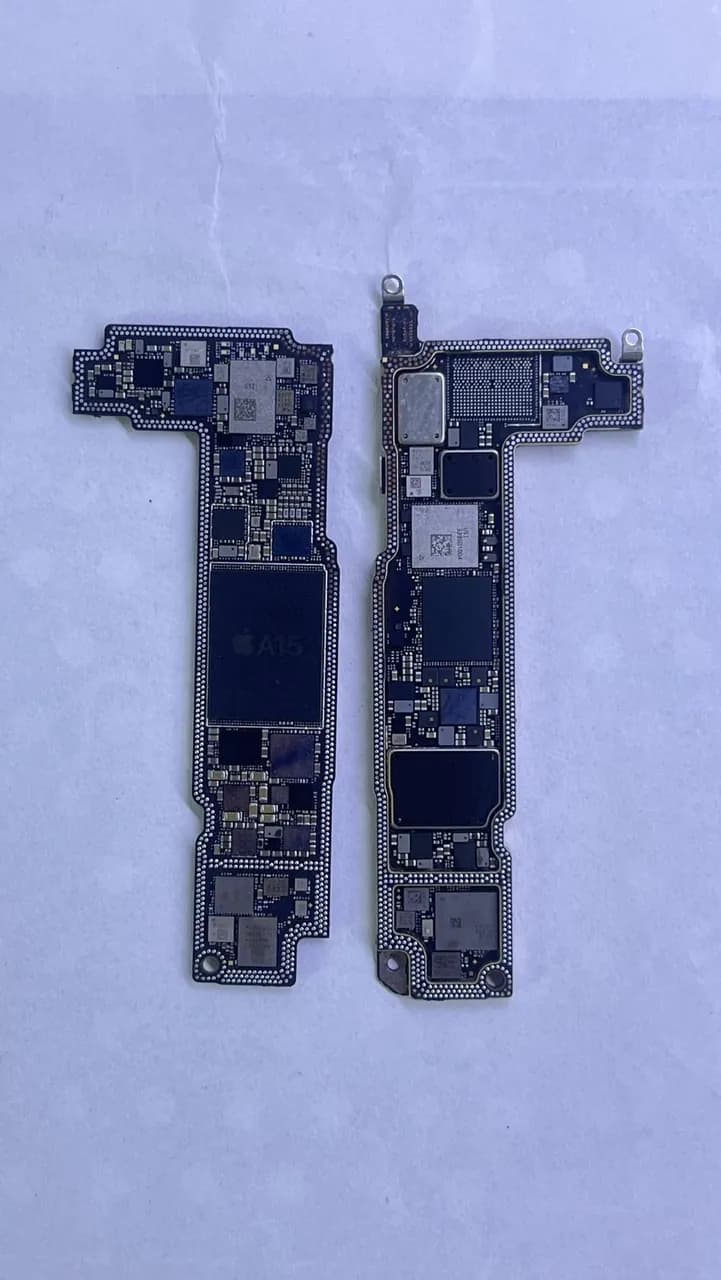
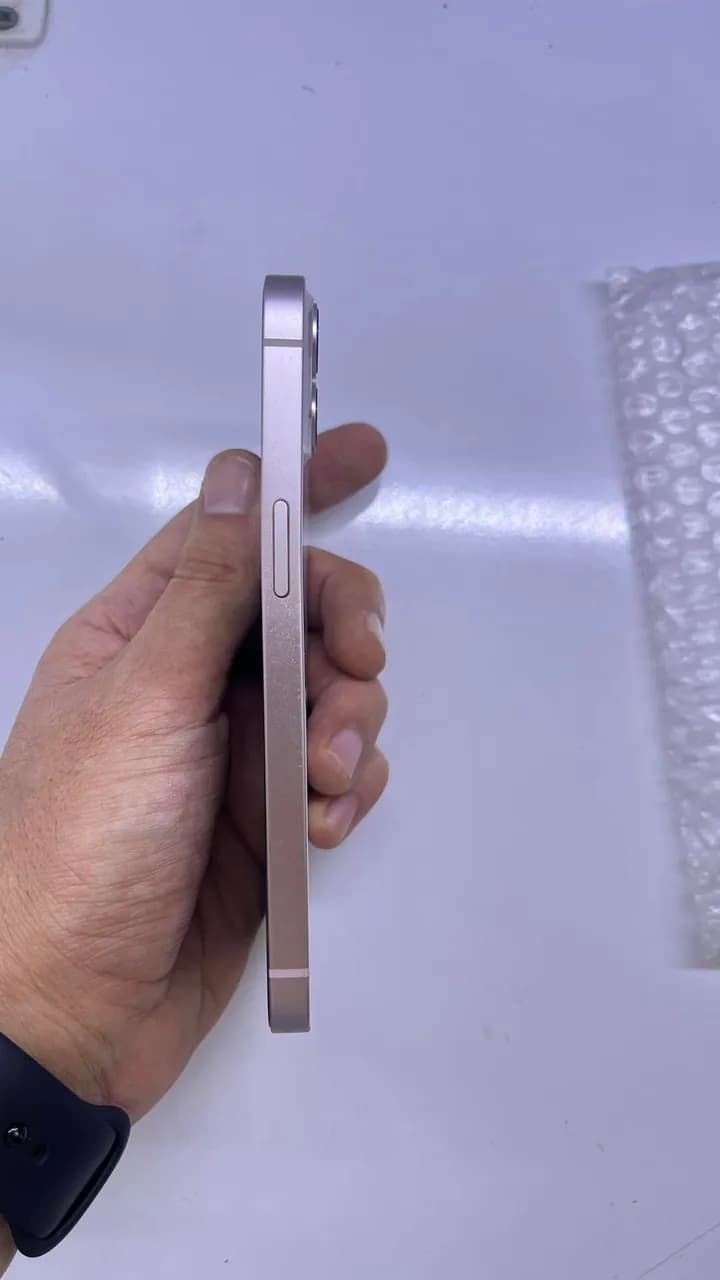
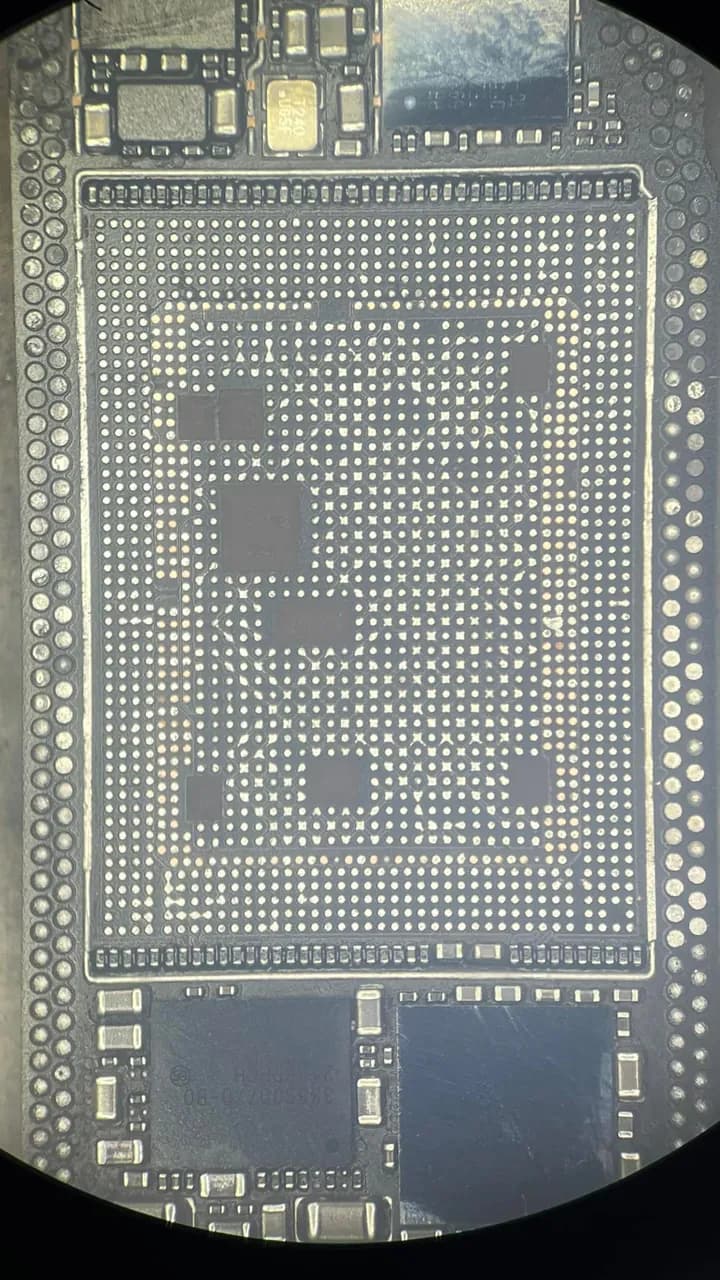
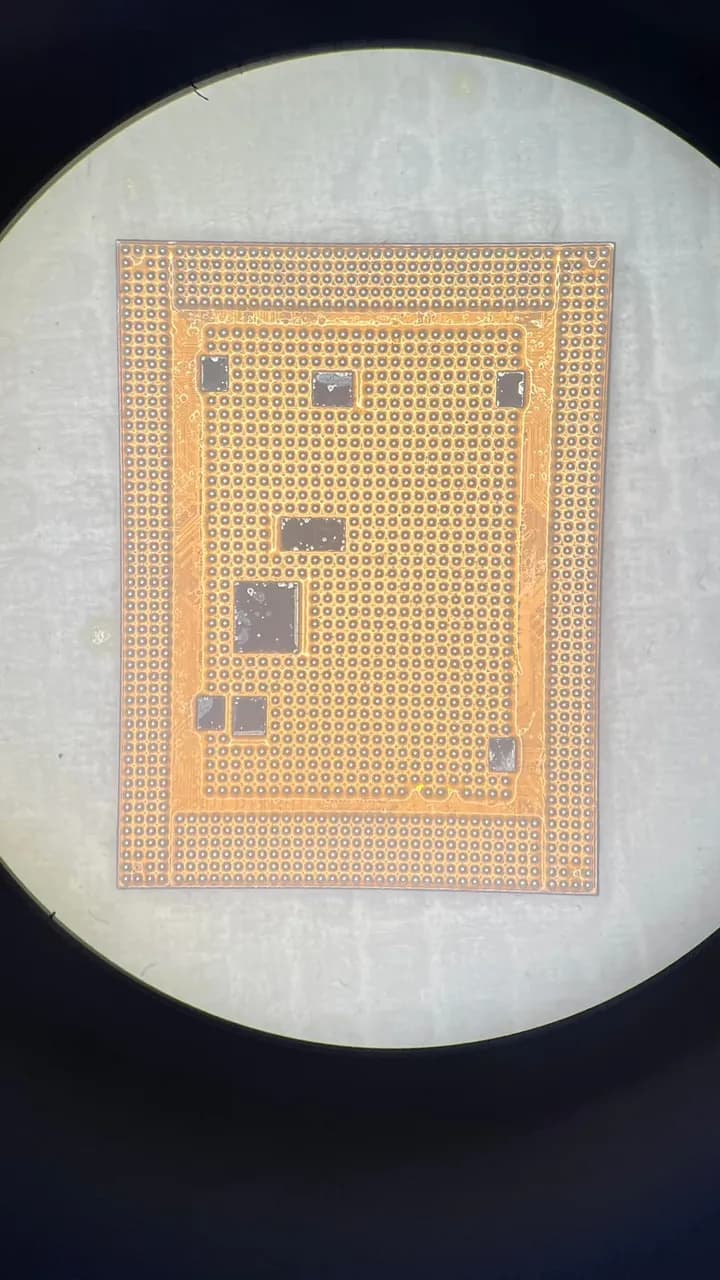
iPhone 13 - Anakart Hasarı ve Onarım Süreci Servisimize gelen iPhone 13, ciddi darbelerden dolayı kasasında eğilme ve anakartında ayrılma problemleriyle teslim alındı. İlk değerlendirmede, anakartın iki katmanının ayrıldığı ve üst katmanda hatların kopuklukları olduğu tespit edildi. Gerekli onarımlar yapılarak cihaz müşterimize sorunsuz şekilde teslim edildi. Ancak 10 gün sonra cihaz tekrar açılmıyor şikayetiyle geri geldi. Anakart incelemesinde kısa devre tespit ettik. Üst katmanı daha sağlıklı olsun diye aktarım yaparak sorunu tamamen çözdük. Fotoğraflarda hasarlı anakartın detaylarını ve onarım sürecindeki aşamaları görebilirsiniz.
Sık sorulanlar
My iPhone is stuck on the logo — is the board broken?
The logo appearing shows the processor is powered; the issue is usually that storage (NAND) can't be read — one of supply, data path or content. The first step isn't to replace the NAND, but to measure the three legs in order.
Is a boot loop always software?
No. Software is one possibility, but if a NAND supply rail is missing or there's weak solder on the data path, it's hardware. The current signature and rail measurements separate software from hardware.
Will a restore fix it?
If the trigger chain is intact and the issue is software, yes. But if the NAND supply/data leg is faulty, a restore won't fix it; the hardware must be verified first. Even the restore error code gives direction.
Does the NAND need replacing?
Most boot loops are solved with reball/reflow (weak-solder repair) or a supply-rail fix. NAND replacement is the last step, after the three legs are separated and the content side is confirmed — done early, it risks data loss.
- · Board-level diagnosis methodology — outside-in elimination and trace-following principle
- · USTA Academy repair curriculum — iPhone power-on/wake chain module
- · USTA Academy repair curriculum — NAND supply/data/content and boot-loop diagnosis
Want to learn this systematically?
AkademiUsta · Apple Board-Level Repair — 6 Modules · 80 Days. Module 1 (8 days) is completely free — no time limit, no credit card.
This topic in the program · Module 1 · Day 4Map the power tree from its source to its loadsStart FreeSource: USTA Academy repair curriculum — iPhone power-on sequence and boot-loop diagnosis order (teaser)